התוכנית של הטיול,
יום אחרי יום, בכיס.
Your trip plan,
day by day, in your pocket.

מעלים את קובץ התוכנית, בכל פורמט, ו-PlanToGo הופכת אותו למדריך יומי: מה היעד הבא, איך מגיעים, איפה ישנים, ומה אסור לשכוח. עם מפה, ניווט בלחיצה ושיתוף עם כל מי שמטייל איתכם.

Upload your itinerary in any format, and PlanToGo turns it into a daily guide: where to go next, how to get there, where you sleep tonight, and what not to forget. With a map, one-tap navigation and sharing with everyone on the trip.

חינם. עובד באנדרואיד ובאייפון, בלי חנות אפליקציות.

Free. Works on Android and iPhone, no app store needed.

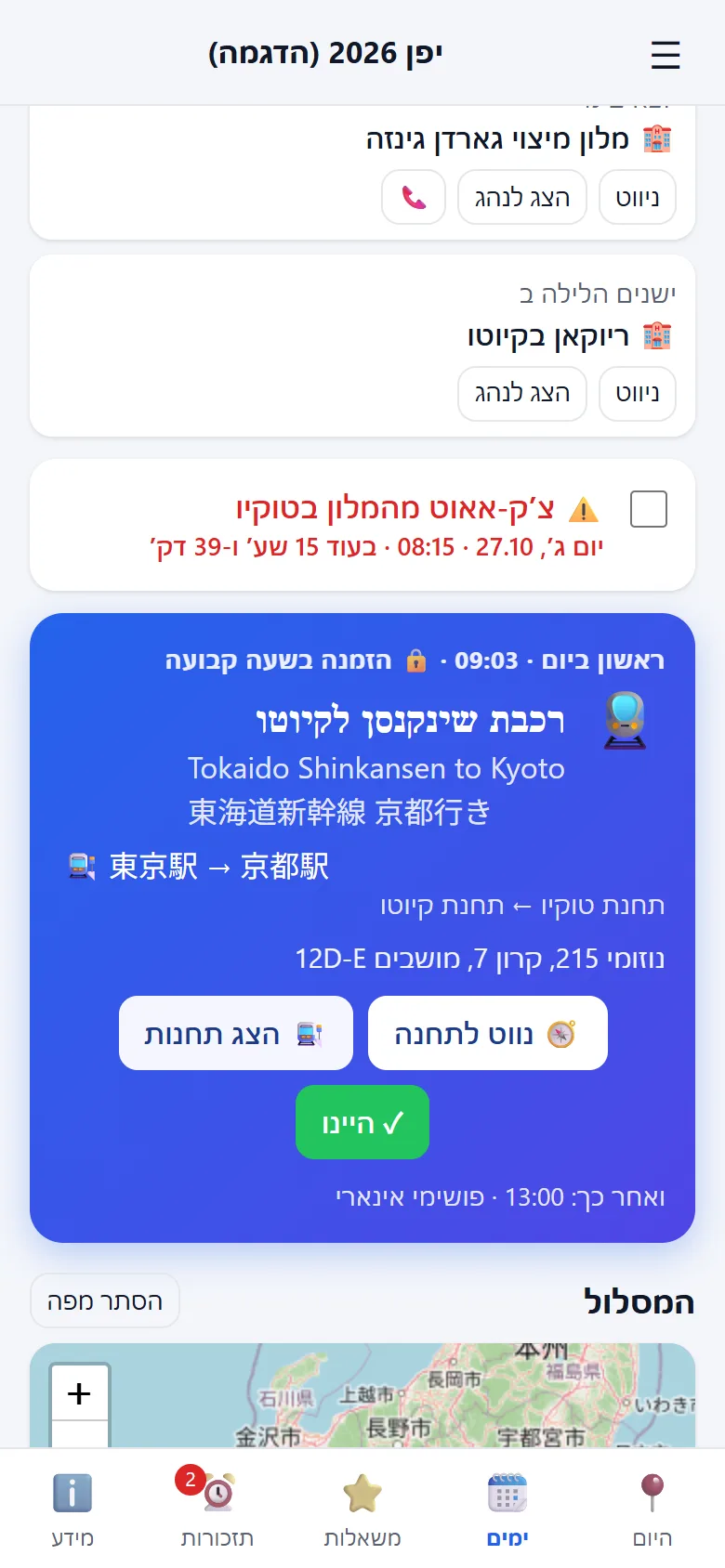
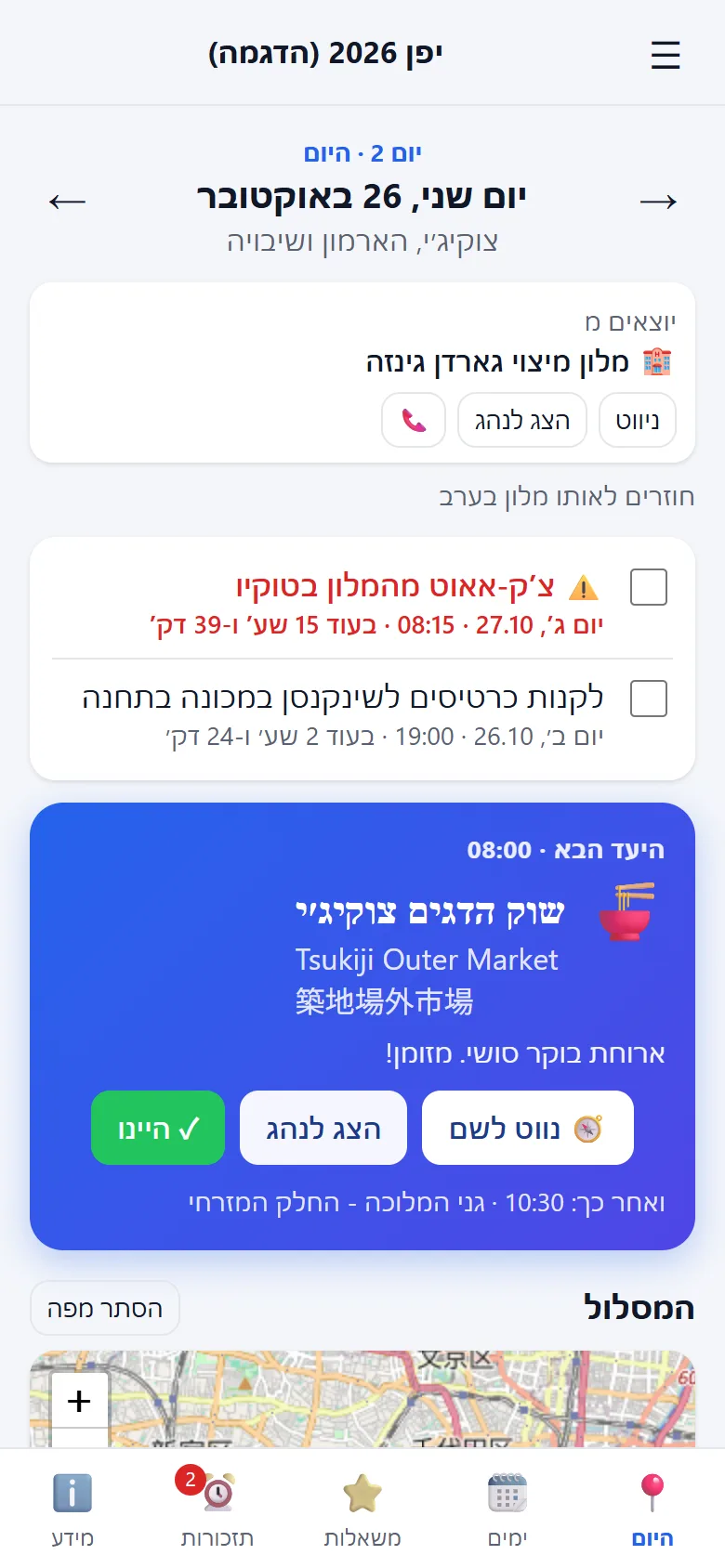
מסך היום: היעד הבא, מלון ותזכורות

איך זה עובדHow it works

  1. 1

    מעלים את התוכניתUpload your plan

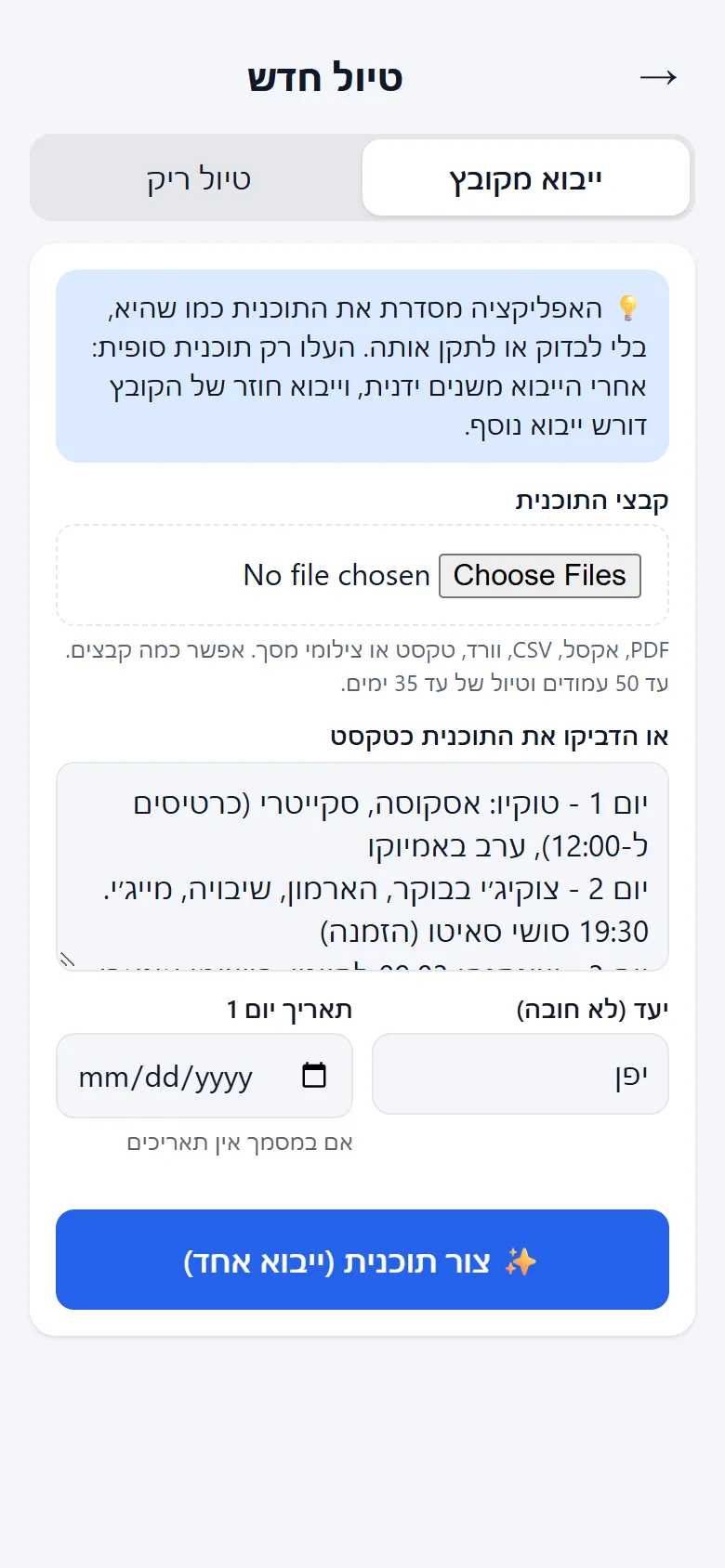
    PDF, אקסל, וורד, צילום מסך או סתם טקסט. גם תוכנית חלקית מתאימה.

    PDF, Excel, Word, a screenshot or plain text. A rough plan works too.

  2. 2

    Claude מסדר אותהClaude organizes it

    בינה מלאכותית מחלקת לימים, מוסיפה שמות בעברית, באנגלית ובשפה המקומית, מאתרת מיקומים ויוצרת תזכורות.

    AI splits it into days, adds names in Hebrew, English and the local language, finds locations and creates reminders.

  3. 3

    מטייליםGo travel

    כל בוקר פותחים את האפליקציה ורואים מה היום. מסמנים מה עשינו, מזיזים מה שצריך, ונוסעים ליעד הבא.

    Each morning, open the app and see today's plan. Tick off what you did, move things around, and head to the next stop.

מה יש בפניםWhat's inside

📍 היעד הבא, בגדול📍 The next stop, front and center

המסך הראשי מראה לאן הולכים עכשיו, עם כפתור "נווט לשם" שפותח את הדרך בגוגל מפות (ברגל, בתחבורה ציבורית או ברכב), וכפתור "היינו ✓" שמסמן ומקדם ליעד הבא. מעליו: המלון שיוצאים ממנו, המלון של הלילה ותזכורות להיום.

The main screen shows where you're heading now, with a "Navigate there" button that opens the way in Google Maps (on foot, by public transport or by car) and a "Been there ✓" button that moves you on to the next stop. Above it: the hotel you're leaving, tonight's hotel and today's reminders.
🗺️ מסלול היום, מפה ונעילות🗺️ Today's route, map and locked bookings

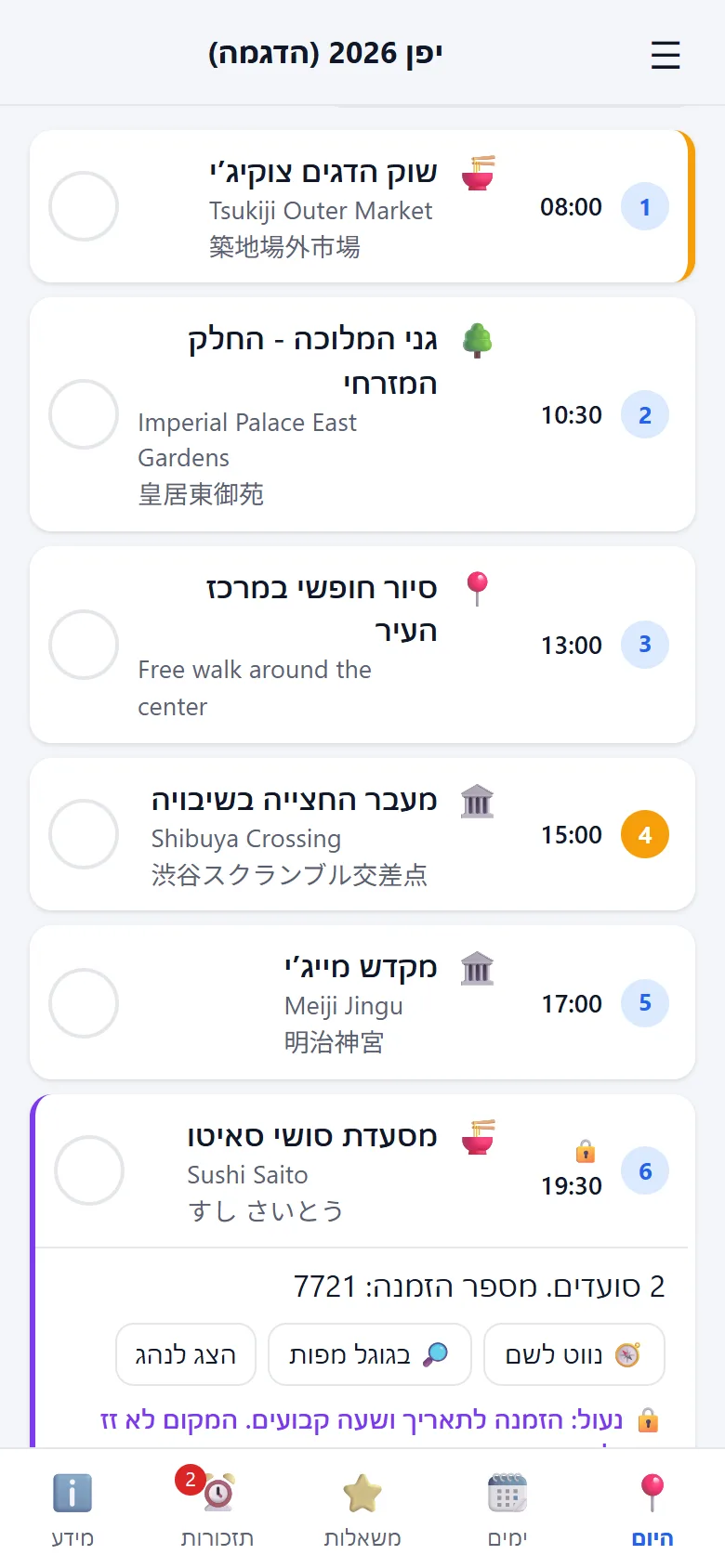
כל מקומות היום לפי הסדר והשעות, על מפה ממוספרת, עם קישור למסלול המלא בגוגל מפות. כל מקום אפשר להזיז ליום אחר, להחזיר לרשימת המשאלות או להוריד. מקומות עם הזמנה לשעה קבועה (הופעה, מסעדה, תצפית) ננעלים 🔒 ולא זזים בטעות.

All of today's places in order, with times, on a numbered map, plus a link to the full route in Google Maps. Move any place to another day, back to the wishlist, or drop it. Bookings with a fixed time (a show, a restaurant, an observation deck) are locked 🔒 so they never move by accident.

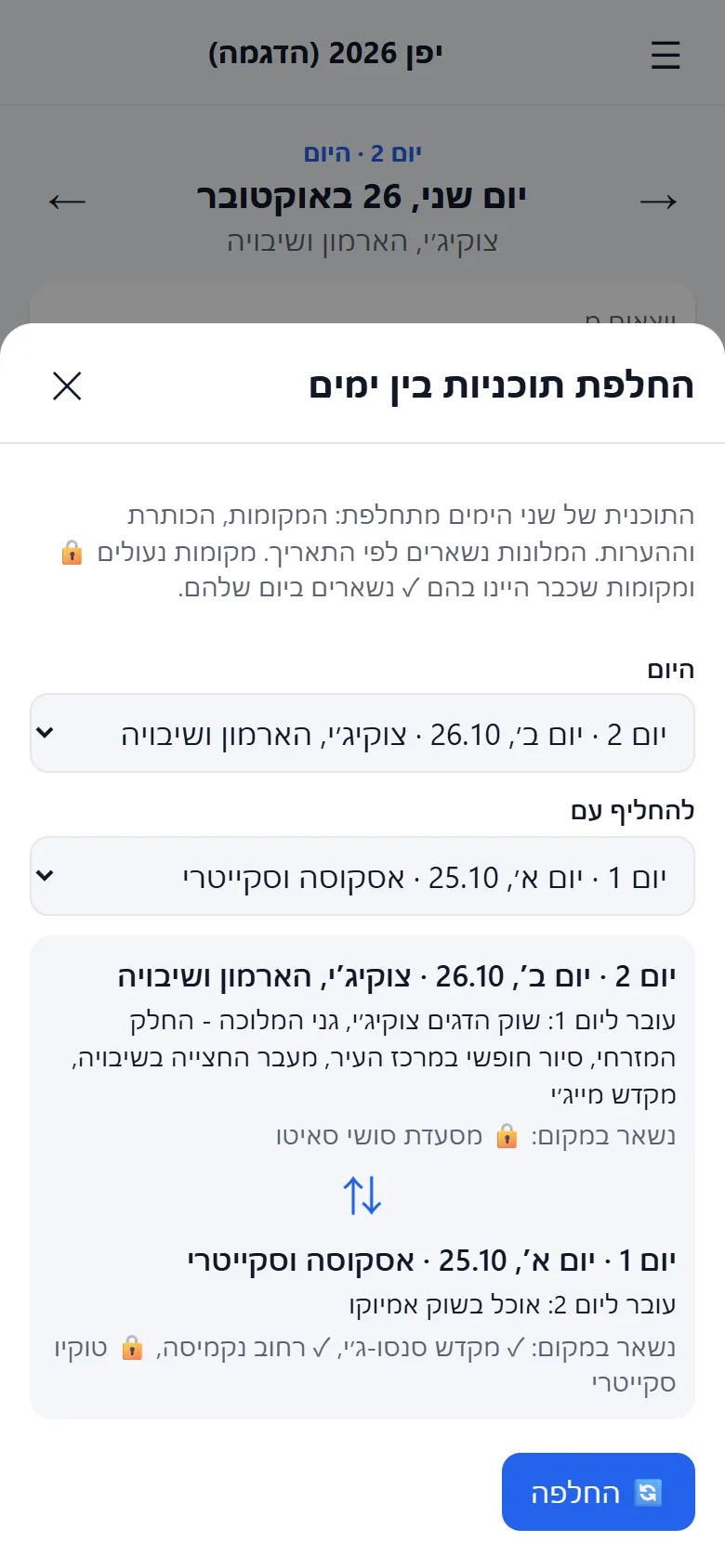
🔄 יורד גשם? מחליפים ימים🔄 Raining? Swap days

בלחיצה מחליפים את כל התוכנית של היום בתוכנית של יום אחר. המלונות נשארים לפי התאריך, ומה שנעול או שכבר עשיתם נשאר במקומו.

Swap today's whole plan with another day's in one tap. Hotels stay with their dates, and anything locked or already done stays put.

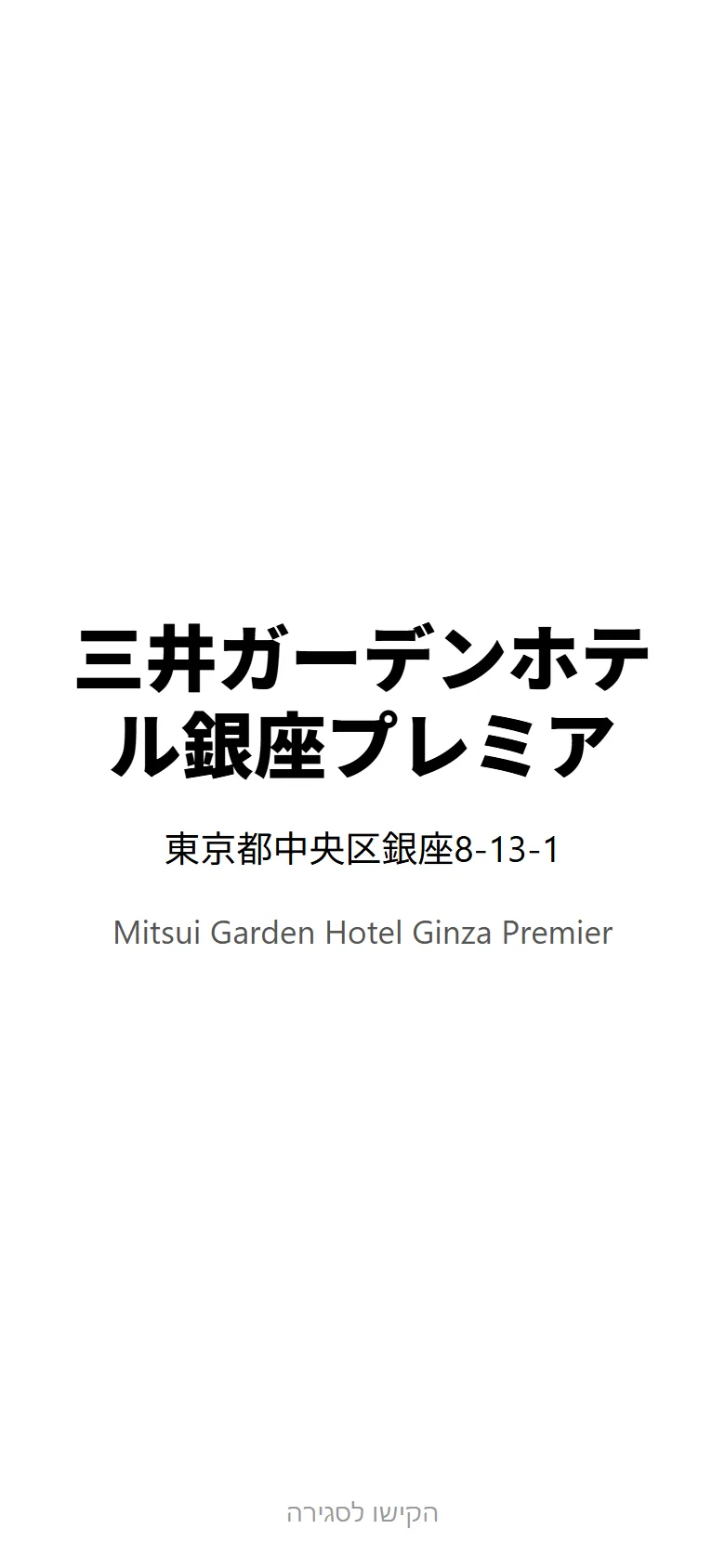
🚕 "הצג לנהג"🚕 "Show the driver"

כל מקום מופיע בעברית, באנגלית ובשפה המקומית. לחיצה אחת מציגה את השם והכתובת בשפת המקום בגופן ענק, להראות לנהג המונית או לשאול עוברים ושבים.

Every place is shown in Hebrew, English and the local language. One tap shows the name and address in the local script in huge letters, to show a taxi driver or ask for directions.

🚉 רכבות, מטרו וטיסות🚉 Trains, metro and flights

בכל נסיעה בתחבורה ציבורית מופיעות תחנת העלייה ותחנת הירידה. "נווט לתחנה" מוביל לתחנה שממנה יוצאים, ו"הצג תחנות" מציג את שתיהן בגדול בשפה המקומית, למכונת הכרטיסים או לעובד בתחנה. ובפריטים שאינם מקום מסוים, כמו "שופינג" או "מנוחה במלון", לא מופיעים כפתורי ניווט מיותרים.

Every public-transport ride shows where you board and where you get off. "Navigate to station" takes you to the departure station, and "Show stations" displays both large in the local language, for the ticket machine or the station staff. Items that aren't one specific place, like "shopping" or "rest at the hotel", don't get pointless navigation buttons.

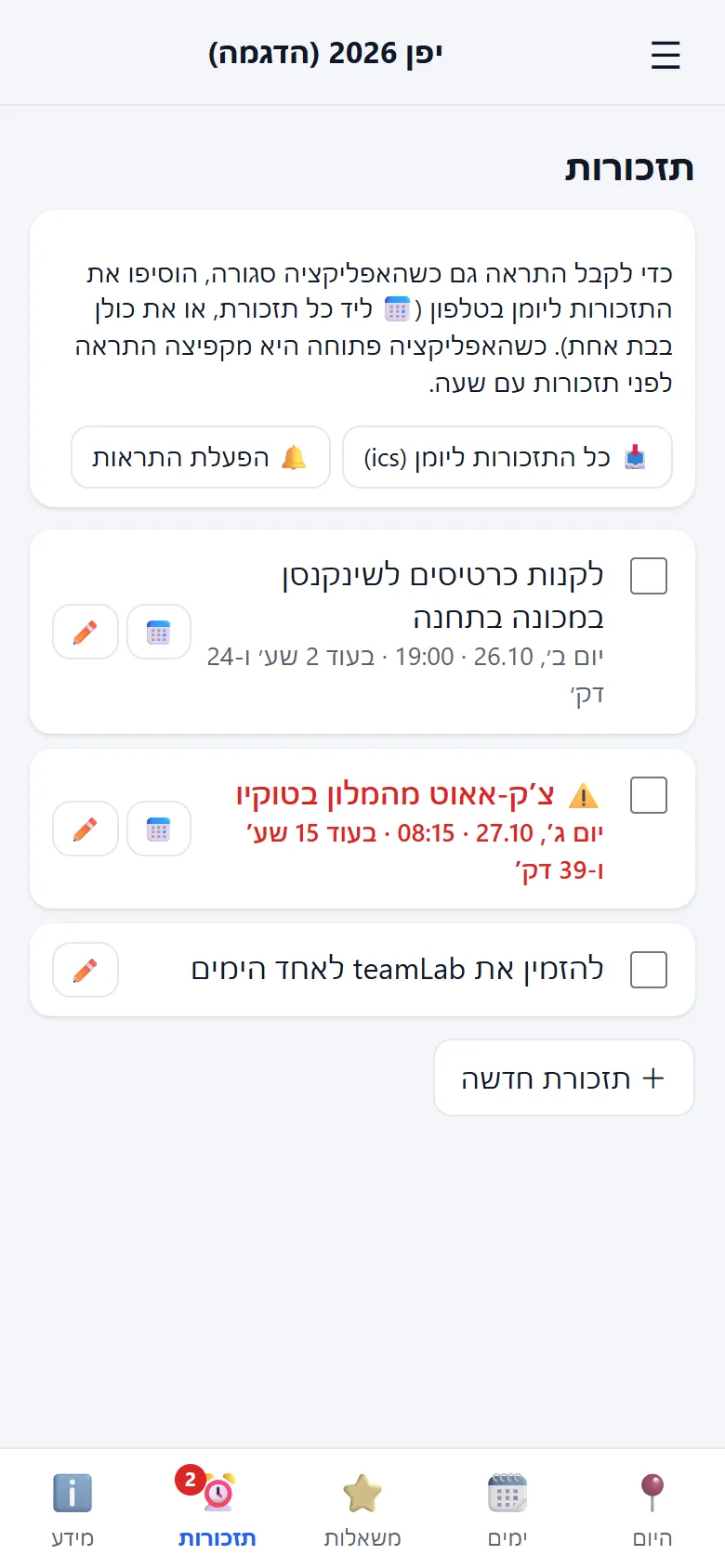
⏰ תזכורות שלא מפספסים⏰ Reminders you won't miss

צ׳ק-אאוט, רכבת אחרונה, כרטיסים שצריך לקנות מראש. תזכורות קריטיות מודגשות עם ספירה לאחור, ובלחיצה עוברות ליומן בטלפון כדי לקבל התראה.

Check-out, the last train, tickets to buy in advance. Critical reminders stand out with a countdown, and one tap adds them to your phone's calendar so you get an alert.

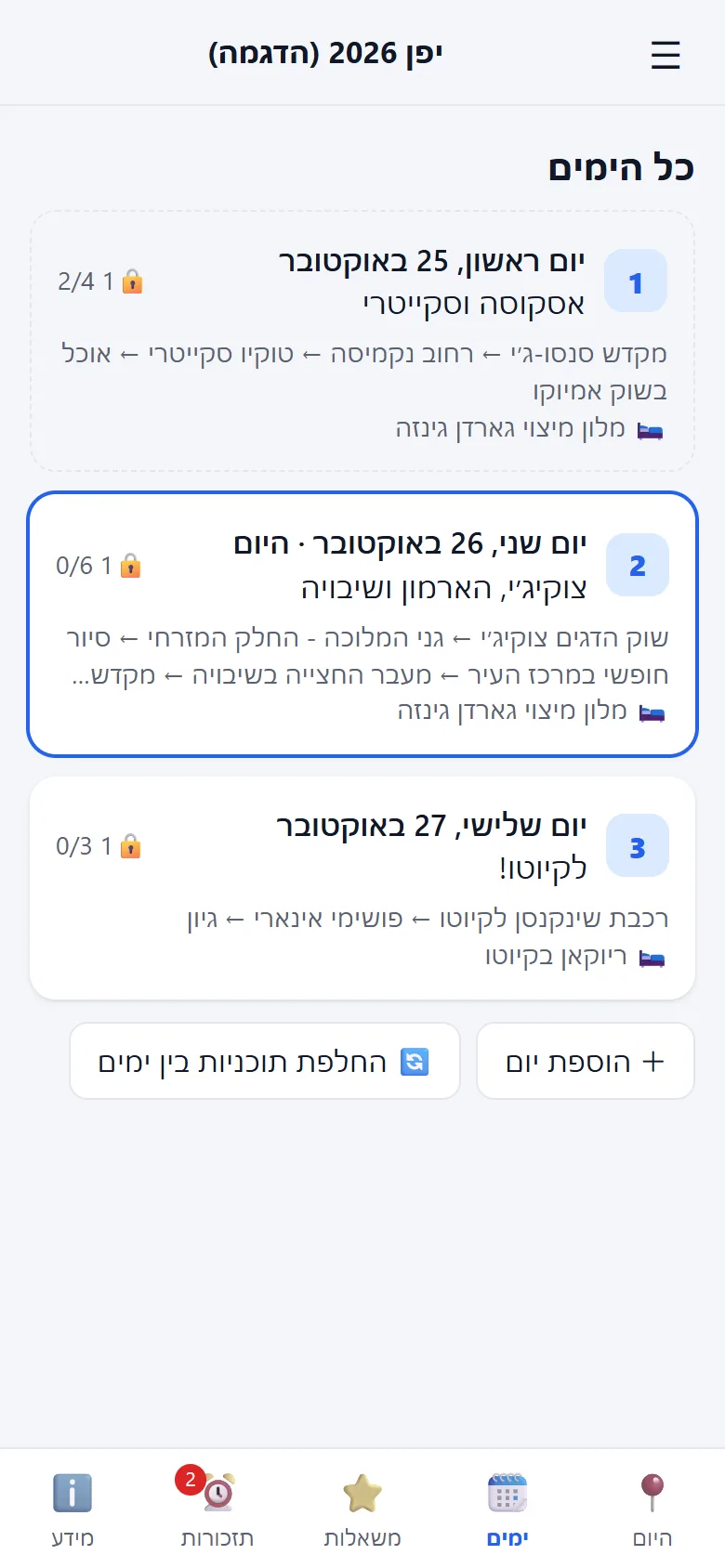
🗓️ כל הטיול במבט אחד🗓️ The whole trip at a glance

כל הימים, מה מתוכנן בכל אחד, כמה כבר עשיתם ואיפה ישנים. יש גם רשימת משאלות למקומות שעוד לא שובצו, ולשונית מידע עם המלונות, מספרי ההזמנה ומידע כללי.

Every day, what's planned, how much you've done and where you sleep. Plus a wishlist for places not yet scheduled, and an info tab with hotels, booking numbers and general notes.

✨ מכל קובץ לתוכנית מסודרת✨ From any file to an organized plan

מעלים את מה שיש: מסמך מסוכן נסיעות, טבלה שבניתם, או צילום של הודעה. תוכנית של כמה ימים מסודרת תוך דקה-שתיים, וטיול של כמה שבועות לוקח בערך רבע שעה. הייבוא רץ בשרת, כך שאפשר לסגור את האפליקציה בינתיים, והטיול יופיע ברשימה כשיהיה מוכן.

Upload whatever you have: a travel agent's document, a spreadsheet you built, or a screenshot of a message. A plan of a few days is organized in a minute or two, and a trip of several weeks takes about a quarter of an hour. The import runs on the server, so you can close the app meanwhile and the trip shows up in your list when it's ready.

כל חשבון חדש מקבל ייבוא תוכנית חינם, ואפשר תמיד להתחיל גם מטיול ריק ולמלא ידנית.

Every new account gets a free plan import, and you can always start from an empty trip and fill it in yourself.

התקנה בטלפוןInstall on your phone

זו אפליקציית רשת (PWA): מתקינים אותה ישירות מהדפדפן, בלי חנות אפליקציות, והיא מקבלת אייקון במסך הבית כמו כל אפליקציה.

This is a web app (PWA): you install it straight from the browser, no app store, and it gets a home-screen icon like any other app.

🤖 Android

  1. פותחים את plantogo.co.il/app בדפדפן Chrome.
  2. Open plantogo.co.il/app in Chrome.
  3. בתפריט ⋮ (למעלה) בוחרים "התקנת אפליקציה" או "הוספה למסך הבית".
  4. In the ⋮ menu (top), choose "Install app" or "Add to Home screen".
  5. מאשרים. האייקון של PlanToGo יופיע במסך הבית.
  6. Confirm. The PlanToGo icon appears on your home screen.

🍎 iPhone

  1. פותחים את plantogo.co.il/app בדפדפן Safari.
  2. Open plantogo.co.il/app in Safari.
  3. לוחצים על כפתור השיתוף ⬆️ (בתחתית המסך).
  4. Tap the Share ⬆️ button (bottom of the screen).
  5. גוללים ובוחרים "הוספה למסך הבית", ואז "הוסף".
  6. Scroll and choose "Add to Home Screen", then "Add".

🔑 כניסה ראשונה🔑 First sign-in

  1. פותחים את האפליקציה ולוחצים "כניסה עם Google".
  2. Open the app and tap "Sign in with Google".
  3. לוחצים "טיול חדש" ומעלים את קובץ התוכנית.
  4. Tap "New trip" and upload your plan file.
  5. מישהו שיתף איתכם טיול? הוא יופיע אצלכם אוטומטית, אם נכנסתם עם אותו מייל.
  6. Someone shared a trip with you? It shows up automatically if you signed in with that email.